
Voicemail Message Greeting: Examples, Setup Tips, and When to Go Professional
05/13/2026

Everything you need for a professional voicemail message greeting: ready-to-use scripts for every situation, step-by-step setup instructions for major phone systems, and honest advice on when a professionally recorded greeting makes a real difference for your business.
A voicemail message greeting is the pre-recorded message callers hear when you are unavailable to answer. The best business voicemail greetings are 20 to 30 seconds, include your name and company, set clear expectations for a callback, and sound warm and confident. This guide covers ready-to-use scripts for every situation, step-by-step setup instructions for major phone systems, and when a professionally recorded greeting is worth the investment.

Voicemail Message Greeting: Examples, Setup Tips, and When to Go Professional
Your voicemail message greeting is often the first impression a caller has of your business. It plays before a single conversation takes place and shapes how professional, reliable, and trustworthy your brand appears before anyone picks up the phone. Yet most businesses treat it as an afterthought — recording something quick on the first try and never revisiting it again.
This guide covers everything you need to know: what to say, how to set it up on major phone systems, and when investing in a professionally recorded greeting is the smartest decision you can make for your brand.
What Is a Voicemail Message Greeting?
A voicemail message greeting is a short, pre-recorded audio message that plays automatically when a caller reaches your phone and you are unable to answer. It serves three purposes: identifying who the caller has reached, explaining your unavailability, and telling them exactly what to do next.
What Should a Voicemail Message Greeting Include?
Your name and company name so callers confirm they have reached the right person and business. A brief acknowledgment that you are unavailable, without over-explaining. Clear instructions for what to leave — name, phone number, and a brief message.
An expected callback timeframe so callers know what to expect. An alternative contact for urgent matters, if applicable.
How Long Should a Voicemail Greeting Be?
20 to 30 seconds is the ideal length. Long enough to give callers the essential information, short enough that they do not hang up before the beep. Anything over 45 seconds risks frustrating callers, especially if they call frequently and have to sit through the full greeting each time.
What should I say in my voicemail greeting?
Include your name, your company name, a brief acknowledgment that you missed the call, clear instructions for what to leave, and an expected callback timeframe. For regulated industries like healthcare or legal, always include an emergency alternative contact.
Should I record my own voicemail or use a professional recording?
For personal lines, self-recording is fine. For business, a professionally recorded greeting delivers consistency, clarity, and brand credibility that self-recorded messages rarely achieve. COHM produces custom voicemail greetings for businesses of every size — one step, fully handled.
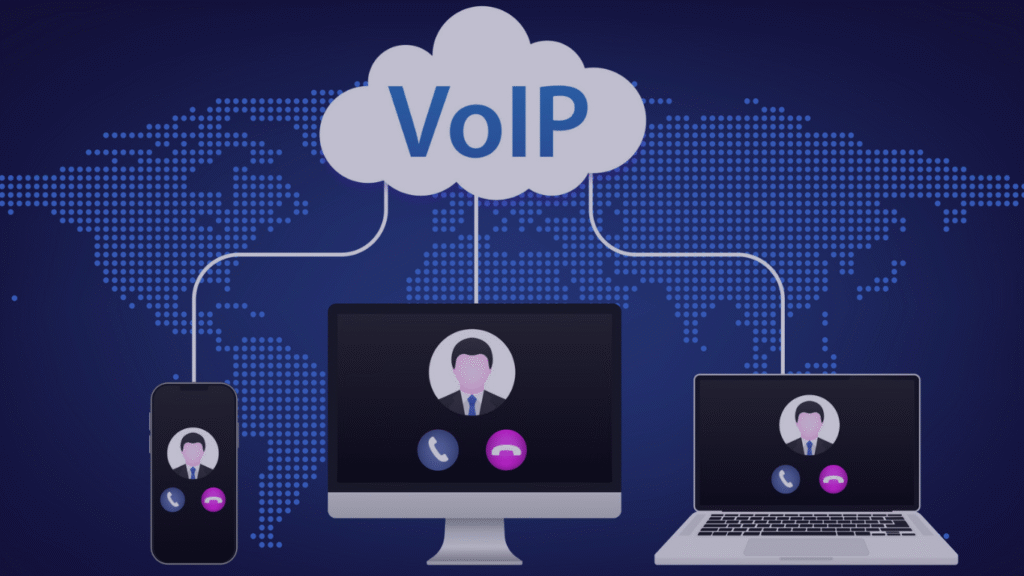
How do I set up a voicemail greeting on a VoIP system?
Most VoIP platforms including RingCentral, 8×8, and Genesys allow you to upload a pre-recorded audio file directly through the admin portal. COHM delivers every file formatted and labeled for your specific platform so setup takes minutes with no technical knowledge required.
Can COHM match my existing voicemail greeting voice?
Yes. If you have existing recordings and need additions or updates, we can match the tone, pacing, and audio format so everything sounds consistent. We can also cast new talent that closely matches your current sound if the original recording is no longer available.
Is my script secure with COHM?
Completely. All production is handled entirely in-house with no third-party API connections. Your scripts and business information are never shared with or processed by external platforms. COHM’s President serves as an AI Technical Advisor for CAVA, working with Canadian lawmakers on biometric data protection and AI voice rights.

Voicemail Message Greeting Examples
Standard Professional
Hello, you have reached [Your Name] at [Company Name]. I am unable to take your call right now. Please leave your name, phone number, and a brief message and I will return your call within one business day. Thank you.
With Alternative Contact
Hi, this is [Your Name] at [Company Name]. I am currently unavailable. If your matter is urgent, please email me at [email address]. Otherwise, leave your name and number and I will call you back as soon as possible.
After Hours
Thank you for calling [Company Name]. Our office is currently closed. Our business hours are [hours]. Please leave your name and number and a member of our team will return your call on the next business day.
Out of Office
Hi, you have reached [Your Name]. I am out of the office from [date] to [date] and will have limited access to messages. For immediate assistance, please contact [Alternate Name] at [phone or email]. Otherwise, I will return your call when I am back on [date].
Healthcare
Hello, you have reached the office of [Doctor or Clinic Name]. We are unable to take your call at this time. Please leave your name, phone number, and a brief message and we will return your call within one business day. If this is a medical emergency, please hang up and dial 911 immediately.
Small Business
Hi, you have reached [Your Name] at [Business Name]. I am either with a customer or away from the phone. Please leave your name, number, and reason for your call and I will get back to you within 24 hours. Thank you for supporting a local business.
Real Estate
Hi, this is [Your Name] with [Realty Company]. I may be with a client or out showing properties. Please leave your name, number, and the best time to reach you and I will call you back as soon as I can.
Legal
Hello, you have reached the office of [Lawyer Name] at [Firm Name]. I am currently unavailable. Please leave your name, phone number, and a brief summary of your matter and I will return your call within one business day. Please do not leave confidential information in your message.
Seasonal Holiday
Happy Holidays from [Company Name]. Our office is closed from [date] to [date] for the holiday season. Please leave a message and we will return your call when we reopen on [date]. Wishing you a wonderful holiday season.
Bilingual in English and French
Hello, you have reached [Company Name]. Please leave a message in English or French and we will return your call shortly. Bonjour, vous avez rejoint [Company Name]. Veuillez laisser un message en anglais ou en français et nous vous rappellerons sous peu.
Tips for Recording Your Own Voicemail Message Greeting
Record in a quiet space with no background noise, echoes, or distractions. A small carpeted room works well.
Smile when you record. It sounds simple but your tone will come across warmer and more welcoming.
Speak at a natural pace. Not too fast, not too slow. Listen back and adjust if needed.
Keep it conversational. Write your script the way you actually speak, not the way you write an email.
Record multiple takes and choose the best one. The first take is rarely the best.
Test it by calling your own number. Check for clarity, volume, and overall flow before going live.
Update it regularly. Holiday greetings left up months after the holiday, outdated hours, and references to unavailable staff all signal inattentiveness to callers.

How to Set Up a Voicemail Message Greeting on Major Phone Systems
RingCentral Log into your RingCentral account, go to Settings, select Voicemail and Greetings, and either record directly through the portal or upload a pre-recorded audio file. Files should be in MP3 or WAV format.
8×8 Log into your 8×8 account, navigate to My Profile, then Voicemail Settings. You can record a greeting directly or upload a file. 8×8 supports WAV and MP3 formats.
Genesys Cloud In Genesys Cloud, voicemail greetings are managed through the Admin panel under Telephony and then Voicemail. Greetings can be recorded directly or uploaded as WAV files formatted to Genesys specifications.
Avaya Access your voicemail system by dialing your voicemail access number, enter your PIN, and follow the prompts to record or re-record your greeting. For system-wide greetings, contact your IT administrator.
Mitel Dial into your voicemail system using your extension and PIN, navigate to the personal options menu, and select the greeting option to record or update.
Traditional Landline Press the voicemail button or dial your voicemail access number, enter your PIN, and follow the prompts to record your greeting.
If you are unsure of the exact steps for your system, COHM can coordinate directly with your IT team or phone provider to ensure your professionally recorded greeting is correctly formatted and integrated. We deliver files labeled and ready to upload for every major platform.
Why DIY Voicemail Greetings Fall Short
Most people record their own voicemail greeting once and never revisit it. The result is usually background noise, inconsistent pacing, an unprofessional tone, or outdated information that has been there for years.
For personal lines, that is perfectly fine. For business, your voicemail greeting is a brand statement. 59% of consumers feel AI and automation have caused businesses to lose the human touch — and a poorly recorded, robotic, or generic greeting reinforces exactly that perception.
A professionally recorded greeting solves the problem completely. Every word is scripted for clarity. Every recording is produced for warmth and consistency. Every file is formatted and delivered ready to upload to your system.
When to Use a Professionally Recorded Voicemail Greeting
A professionally recorded voicemail message greeting is worth the investment when:
Your business receives a high volume of calls and your voicemail is a frequent first touchpoint for new clients.
You operate in a trust-sensitive industry such as healthcare, legal, financial services, or real estate where professionalism directly impacts confidence.
You have multiple locations or extensions that need to sound consistent across your entire organization.
Your current greeting is self-recorded, outdated, or inconsistent with the rest of your brand.
You are setting up a new phone system and want every element to sound polished from day one.
How COHM Produces Professional Voicemail Greetings
At COHM, producing a professional voicemail message greeting is a one-step process for you. Send us your script and tell us when you need it. We handle everything else: voice casting, recording, editing, formatting, and delivery in the exact file format your phone system requires.
Our recordings are compatible with every major platform including RingCentral, 8×8, Genesys, Avaya, Mitel, Cisco, Zoom Phone, and more. Most projects are completed within 4 to 5 business days. Rush turnaround is available when you need it faster.
Your scripts and business information never leave us. All production is handled entirely in-house with no third-party API connections and no external platforms involved at any stage. For businesses in regulated industries, this means your content stays completely private from start to finish.
If your voicemail greeting is part of a larger phone system — including IVR recordings, auto attendant menus, and on hold messaging — COHM produces everything as a complete, consistent package. Learn more about our IVR recording service.
We’re all ears and here to help. Give us a call or fill out the form below, and one of our team members will get in touch within 24 hours.
It’s Nice to Meet You.
"*" indicates required fields
800-267-5229
123 Address Way
hello@COHM.com
