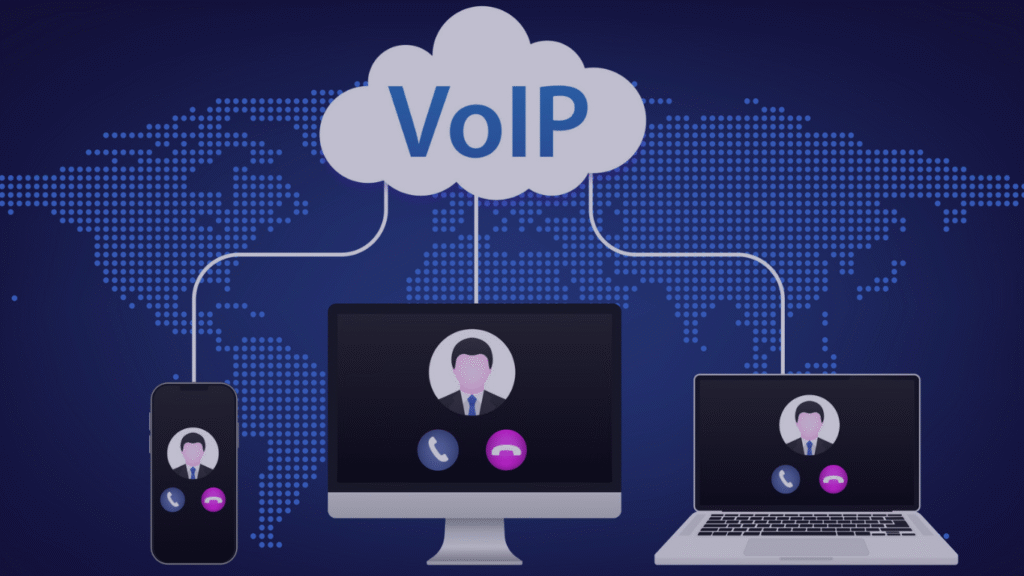
A phone tree is the automated menu callers hear when they reach your business: “For sales, press 1. For support, press 2.” It greets the caller, offers options, and routes them to the right person, department, or recorded message. You may also hear it called an IVR, an auto attendant, or a call tree.
Below are ready to use phone tree scripts for common industries. Copy them, adjust the details, and use them as a starting point for your own system.
7 Tips for Writing a Phone Tree Script
Keep the greeting short. Business name, a quick welcome, then the menu. Save promotions for your on hold message.
Put the most common reason first. If most callers want to book an appointment, make that option 1.
Limit each menu to four or five options. Callers forget anything past that.
Say the option before the number. “For billing, press 3” is easier to follow than “Press 3 for billing.”
Avoid going more than two levels deep. Every extra layer raises the chance a caller hangs up.
Always offer a way to reach a person. Make “press 0” or “stay on the line” part of every menu.
Write separate after hours and holiday messages. Callers should know right away if you are closed and when you reopen.
Phone Tree Script Examples by Industry
Veterinary Clinic
Thank you for calling [Clinic Name], where your pet’s health comes first. If this is a pet emergency, please press 1 now. To book or change an appointment, press 2. For prescription refills or food orders, press 3. For test results or to speak with a technician, press 4. For our hours and location, press 5. To speak with a member of our team, press 0.
Medical or Dental Office
Thank you for calling [Practice Name]. If this is a medical emergency, please hang up and dial 911. To book, confirm, or cancel an appointment, press 1. For prescription renewals, press 2. For billing and insurance questions, press 3. For fax numbers and referrals, press 4. To speak with our front desk, press 0.
Hotel
Thank you for calling [Hotel Name]. To make a new reservation, press 1. To change or cancel an existing reservation, press 2. To be connected to a guest room, press 3. For our restaurant or event spaces, press 4. For directions and parking, press 5. To speak with the front desk, press 0.
Plumbing, Heating, or Other Trades
Thank you for calling [Company Name]. If you have an emergency such as a burst pipe or no heat, press 1 to reach our on call technician. To book a service visit or request a quote, press 2. For billing, press 3. For maintenance plans, press 4. To speak with our office, press 0.
Retail Store
Thank you for calling [Store Name]. For store hours and location, press 1. To check on an order or a product, press 2. For returns and exchanges, press 3. For careers, press 4. To speak with a team member, press 0.
Multi Level Menu (Sales and Support)
Main menu: Thank you for calling [Company Name]. For sales, press 1. For customer support, press 2. For accounts and billing, press 3. For our company directory, press 9.
Support submenu: For help with an existing order, press 1. For technical support, press 2. To report a problem with a delivery, press 3. To return to the main menu, press star.
After Hours Message
Thank you for calling [Business Name]. Our office is currently closed. Our regular hours are [days] from [time] to [time]. Please leave a message after the tone with your name and number, and we will return your call on the next business day. If this is an emergency, press 1.
Holiday Closure Message
Thank you for calling [Business Name]. Our office is closed for [holiday] and will reopen on [date] at [time]. Please leave a message after the tone, or visit [website] for more information. From all of us at [Business Name], happy holidays.
What If You Use an AI Voice Assistant Instead?
Many phone systems now offer AI voice assistants that answer calls and talk with callers instead of playing a menu. It sounds efficient, but most callers are not asking for it. The research is consistent: people want a real person, especially when the problem matters to them.
AI does have a place. Callers are generally comfortable with self service for simple questions like hours, order status, or directions. The trouble starts when a caller has a real problem and feels stuck talking to a machine.
If You Do Use an AI Assistant
Tell callers it is AI. Say so in the greeting. Callers feel misled when a bot passes itself off as a person, and disclosure rules for AI are tightening.
Make reaching a person easy. Offer “press 0” or “say representative” from the very first prompt, and honour it right away.
Use it for simple tasks only. Hours, directions, appointment confirmations, and order status are fine. Billing problems, complaints, and anything emotional should go to a person.
Keep a human voice on the key moments. Your greeting, transfer messages, after hours message, and on hold audio can all still be professionally recorded, so callers hear your brand and not a generic synthetic voice.
Test it as a frustrated caller would. Mumble, interrupt, and ask something off script. If you get stuck, your customers will too.
For most small and mid sized businesses, a short, well written phone tree with a real human voice is still the faster, friendlier, and cheaper choice.
Getting Your Phone Tree Professionally Recorded
A great script still falls flat if it is read by a robotic text to speech voice or recorded on a desk phone. The voice is what callers remember. A warm, clear, professional voice tells callers they reached a real business that cares about their time.
COHM records phone tree messages with real human voice talent. Send us your script, or let us write it for you, and we deliver every prompt clean, clearly labeled, and formatted for your phone system. That includes RingCentral, 8×8, Zoom Phone, Genesys, Mitel, Cisco, Avaya, and more, often in as little as 24 hours.
What is the difference between a phone tree and an IVR?
They are mostly the same thing. A phone tree is the menu structure callers move through. IVR (interactive voice response) is the technology that runs it. Many people use the terms interchangeably.
How many options should a phone tree have?
Keep each menu to four or five options and no more than two levels deep. Put the most common request first and always include a way to reach a person.
How long should a phone tree greeting be?
Aim for 10 to 15 seconds before the first menu option. Callers want to get where they are going, so save extra information for your on hold message.
Should I use a real voice or text to speech for my phone tree?
A real human voice sounds more natural and builds more trust with callers. Text to speech can sound robotic, and many callers find it frustrating. Professional recordings also give you a consistent brand voice across every prompt.
How do I get my phone tree recorded?
Write your script, then send it to a professional recording company like COHM. We record it with real voice talent and deliver audio files formatted for your phone system, ready to upload.
Let’s Get Your Phone Tree Recorded
Your phone tree is often the very first conversation a customer has with you. Make it count.
Send us your script, or pick one from above and we will polish it for you. COHM records it with professional human voice talent and delivers every prompt labeled and formatted for your phone system, in as little as 24 hours. No robots. No guesswork. Nothing for you to do but upload.
Contact us today and experience the COHM difference. We guarantee exceptional IVR voice recording solutions that will leave a lasting impact on your callers. With our unmatched expertise and commitment to delivering top-notch services, we’ll help your business stand out from the crowd.